How it works
Prerequisites for using IDEM-Tester
IDEM-Tester focuses on testing the metadata of single SAML entities. Therefore, the only basic requirements are having a URL for this type of metadata and a reference email address.
Users and Usage
Distinct functionalities are provided depending on whether the user belongs to an external organization or a member organization of the IDEM Federation. For more details, please consult the External Organizations and Member Organizations sections.
You can verify your organization's membership in IDEM on this page.
External Organizations
An organization in possession of a metadata URL to be tested can request to use the service by filling out the conditional form in the Voucher section:
- The first step involves entering a contact email address and the metadata URL to be tested.

- By specifying the entity ID associated with the metadata, it will become possible to submit the request.
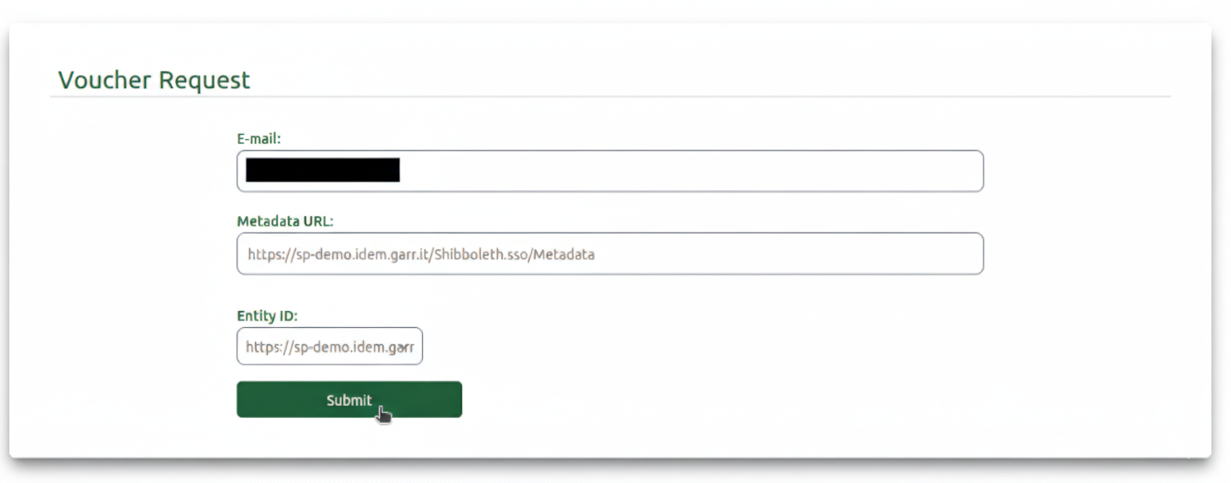
The request will be processed by IDEM GARR staff; once it has been received and approved, a voucher will be sent via email to the specified address. You can use this voucher for limited access to the service, to submit a request, and to view the results of the testing session.
Member Organizations
IDEM Access
IDEM-Tester is a federated resource. To log in, click on Login, where you can select your home organization and perform the authentication.

Upon your first login, you will receive an email with your account's authorization status.
Test Requests
After logging in, you will be able to access the Service Requests section.
At the top of the page, there is a form to submit new test requests. The minimum requirements for submitting a request using this form are:
- Entering the "metadata URL" of a single SAML entity.
- Assigning a "test label" to the request.

By checking the "Advanced options" box, it is also possible to schedule a testing session:

The lower section of the page, "Submitted Tests," will show you a preview of the latest sessions in card format or a complete list with summarized data. The summarized results will allow you to access a detailed report of the tests performed, showing which ones passed and which did not.

IDEM-Tester evaluates the content of the submitted metadata based on the rules specified in the Technical-Operational Profile. To facilitate the content correction process, the detailed report—accessible by clicking the "REPORT" button in the example cards—also provides the reference codes for the requirement being tested, e.g., SEC01, SEC02, SP_MD01, SP_MD02, etc.

Request History
After logging in, you will also have access to the History section, dedicated to the collection of previous testing sessions.
In this section, you will find a summary chart and table regarding the overall status of the requests made, followed by a section with separate tables and charts for the type of metadata tested, Entity or Service Provider.